Printing a plan set is a line item. The reprint is where the job starts bleeding money.
Most contractors track blueprint printing cost per sheet. They don’t track what happens when the sheet size is wrong, the revision is old, or the crew shares one set between three subs working different ends of the building. Those are the costs that actually add up.
Here’s how to think about blueprint printing before you place the order.
What Does It Cost to Print a Set of Plans?
Large format blueprint printing in Southwest Florida typically runs $2 to $6 per sheet for black-and-white prints. Color printing costs more — usually $8 to $15 per sheet depending on size and the shop.
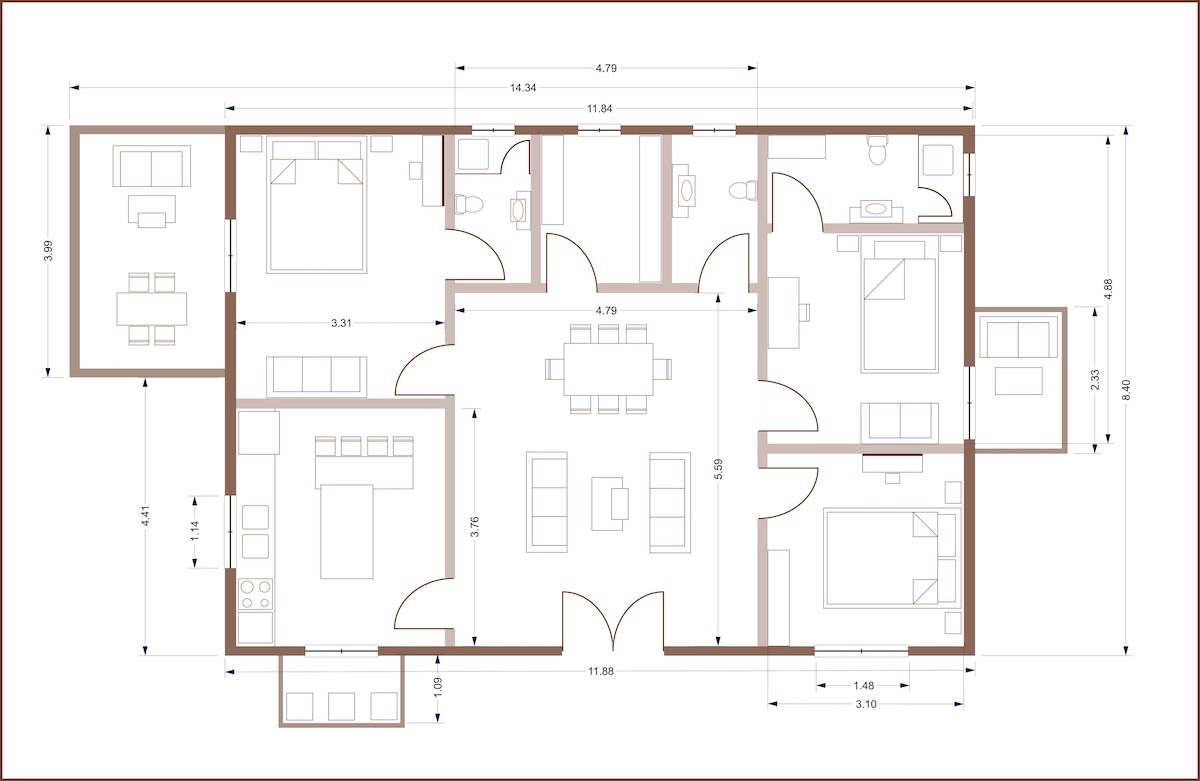
A standard residential plan set might be 10 to 20 sheets at Arch D (24×36). At those rates, a full B&W set runs $20 to $120. Order five copies for a full framing crew and you’re at $60 to $300. That’s not a big number next to a $300,000 job — but it’s not the number that hurts.
Rush fees are real. Most local shops charge a fee to jump the queue. Planning a day ahead usually avoids it.
The Reprint Is Where You Actually Lose Money
Contractors almost always print. The problem is when they have to print twice.
Here’s what a reprint cycle actually looks like:
- Wrong sheet size. A sub orders Arch C (18×24) when the crew needed Arch D (24×36). The structural details are too small to read in the field. They call the GC. The GC calls the print shop. New order, next-day delivery, job waits.
- Old revision on site. Revision 3 was uploaded but Revision 4 went out the same week. Crew builds from Revision 3. Change order issued. Reprint requested.
- Under-ordering. One set for five subs. The plumber and the framer both need the utility sheet at the same time, on different ends of the site. One waits.
The print itself isn’t the cost. It’s the idle crew, the rework, and the schedule slip that follow.
Why Sheet Size Is a Job-Cost Decision
Most GCs already know what size they need. Their subs often don’t.
The confusion usually lands on Arch C vs. Arch D, or between full-size sets and 11×17 half-size copies. Here’s the short version:
| Size | Dimensions | Best use |
|---|---|---|
| 11×17 | 11″ × 17″ | Half-size field copies, personal redlines |
| Arch C | 18″ × 24″ | Smaller details, subsets |
| Arch D | 24″ × 36″ | Standard construction set — ~90% of field work |
| Arch E | 36″ × 48″ | Full architectural, larger commercial |
Arch D is the default. It folds to a manageable size in a truck cab or job trailer. And it reduces to 11×17, a workable half size, for redline copies that stay readable.
If a sub sends you a PDF from their engineer and asks you to order prints, start with Arch D unless the file is clearly a large architectural full-sheet (Arch E). Confirm before you print — saves a second trip.
The Hidden Blueprint Costs Most Contractors Overlook
The digital-only trap. PDFs are fine in the office. On an active job site in Southwest Florida in July, a phone screen in direct sun at 95 degrees is not a plan set. Screens glare. Phones die. You can’t redline a PDF with a Sharpie in a job box. Physical field copies are a workflow tool, not a formality.
Ordering from the wrong vendor. Office supply stores and generic copy shops don’t stock Arch paper. They’ll print your 24×36 PDF on 18×24 paper, scaled down, without flagging it. The field crew gets something that looks right until they try to read the dimensions. You’ll know when you get the call.
Over-ordering before permits clear. The flip side of under-ordering: printing 20 sets before permit comments come back. If Revision 2 drops a week later, those 20 sets are dead paper. Order what the crew needs for the current phase and print more when the job moves.
How to Order Smart and Stop Paying for Reprints
A few things that reduce reprint cycles:
Know your revision before you order. Get the latest PDF confirmed before the print order goes in. If you’re not sure, call the engineer.
Default to Arch D. If you’re not certain of the sheet size, order Arch D. It fits the workflow. The framer can read it. The plumber can fold it. It’s the right call 90% of the time.
Order one extra per sub, not one per crew. A five-sub job where two subs need the same sheet at the same time needs at least six sets, not one.
Use a shop that speaks your language. Not every print shop knows what Arch D means. Precision Blueprint Co. is a division of Creek Engineering in Port Charlotte. The people running the plotter understand the same plans they’re printing.
Get Your Plans Printed Right the First Time
Precision Blueprint Co. handles large format blueprint printing for Southwest Florida general contractors, plumbers, framers, and masonry crews. Walk-in, job site delivery, and FedEx 2-day shipping available.
Order online at pblueprints.com, bring a thumb drive to 1720 El Jobean Rd, Port Charlotte, or call 941-212-1707. Confirm your revision number before you send the file and we’ll confirm the sheet size before we burn paper.
FAQ
How much does it cost to print blueprints for a construction project? Black-and-white large format prints typically run $2 to $6 per sheet depending on size. A full residential plan set at Arch D (24×36) might be 10 to 20 sheets, so $20 to $120 per copy. Color prints cost more. Most contractors order multiple sets for the GC, supers, and key subs.
What’s the best paper size for construction blueprints? Arch D (24×36) is the standard for construction plan sets in Southwest Florida. It’s the right size for field redlines in a truck or trailer, and it reduces cleanly to 11×17 for half-size copies. If you’re not sure what size your engineer sent, order Arch D.
What happens if I print blueprints in the wrong size? If the sheet is too small, dimensions can be hard to read on site. If it’s too large, folding and handling gets unwieldy. Either way, you need a reprint, which means a second order, a delay, and sometimes a crew waiting on paper to keep moving. Confirming sheet size before you order is the cheapest fix.
Can I send a PDF directly to a blueprint print shop? Yes. Most local shops accept PDFs by file upload or email. At Precision Blueprint Co., you can upload at pblueprints.com/upload-files/ or email orders@pblueprints.com. Confirm your revision number and the sheet size when you send — it saves a follow-up call.
What is a rush fee at a blueprint print shop? A rush fee lets you jump the standard queue. What it costs, and what counts as a rush, varies a lot by shop. At Precision Blueprint Co. same day is already the standard turn, so a rush fee only applies to a genuine drop-everything job: a set that has to come off the plotter in the next ten minutes, ahead of whatever is already running. That is a flat $25. Most orders never need it.